

 ULTRASOUND IMAGE
MANAGEMENT & REPORTING
Try it
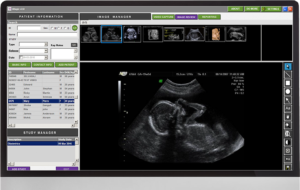 PATIENT INFORMATION & STUDY MANAGER
>Patient details – name, gender, age, ID No., alternate ID, etc.
>Direct Patient information and study information through DICOM
>Patient search based on name, gender and ID.
>Contact Information – address, phone numbers, etc.
>Gender based study listing.
IMAGE ACQUISITION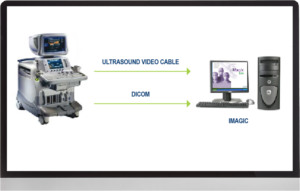
>Capture single frames and sequences from non- DICOM machines through frame grabber cards.
>Presets for image capture settings.
>Direct transfer of images from DICOM machines.
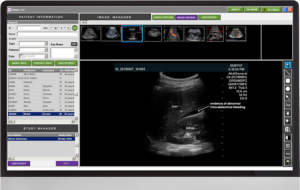 VIEWING AND POST PROCESSING
>Thumbnail display of single frames & sequences.
>Play sequences in continuous / frame by frame mode.
>Extract single frames from sequences.
>Edit sequences for user-defined playback options.
>Set footnotes for images.
>Standard image processing tools (brightness, contrast, invert, rotate, zoom, pan).
>Standard image annotation tools (text, line, arrow, circle, rectangle).
>View images and sequences in full screen mode.
>Ink-save mode for printing.
>Tag key images.
REPORTING
>User-defined customizable report templates. 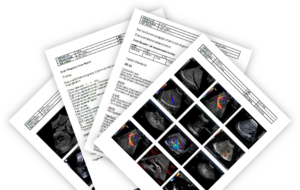
>Multiple report templates for each study.
>Drag and drop images for reporting.
>Insert important reference images in text layout.
>User-defined tabular forms for measurements and biometry reporting
>Direct measurement transfer through DICOM SR
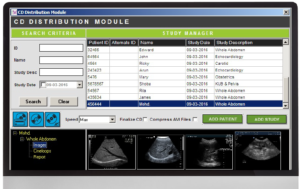 CD DISTRIBUTION
>Write images and reports to CD
>Built in Viewer for images and reports
BENEFITS
Distribute images on CD to patients / referrals
Facilitates easy viewing for patients / referrals